PowerPoint Control Room

The Control Room
For Your Presentations

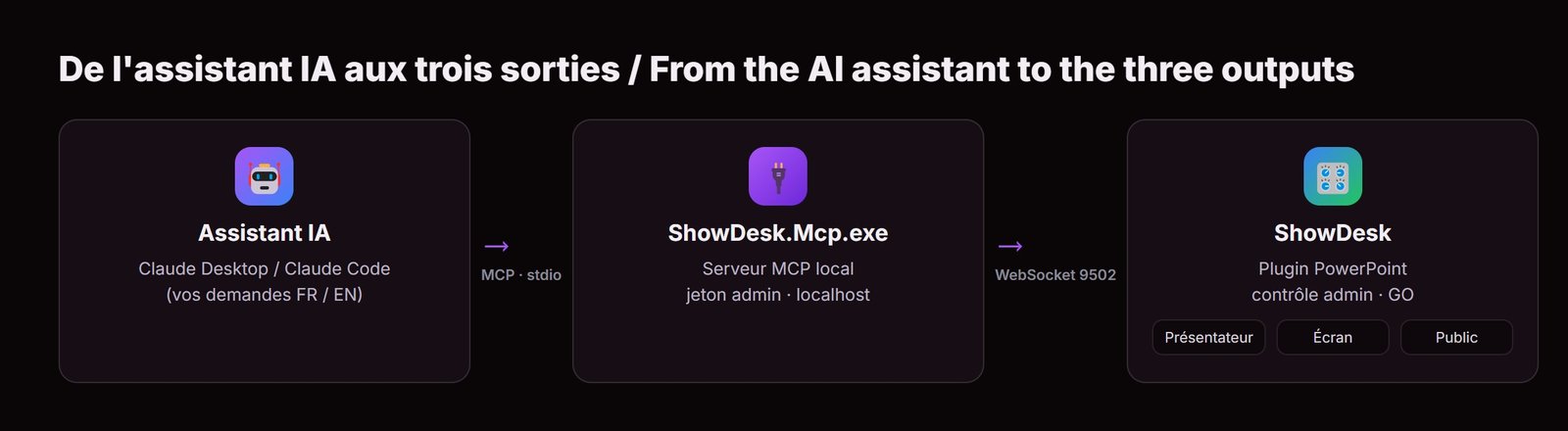
Drive three outputs from a single console: what the presenter reads, what the room projects, what the audience holds. Prepare off air, check it, then send it live. Notes, timers, quizzes, questions and reactions — all from one PowerPoint plugin.

13 Smart Markers
500 Audience Phones
RT Real-Time Sync
QR Quick Connect
ShowDesk Admin Public Dashboard
What You Drive

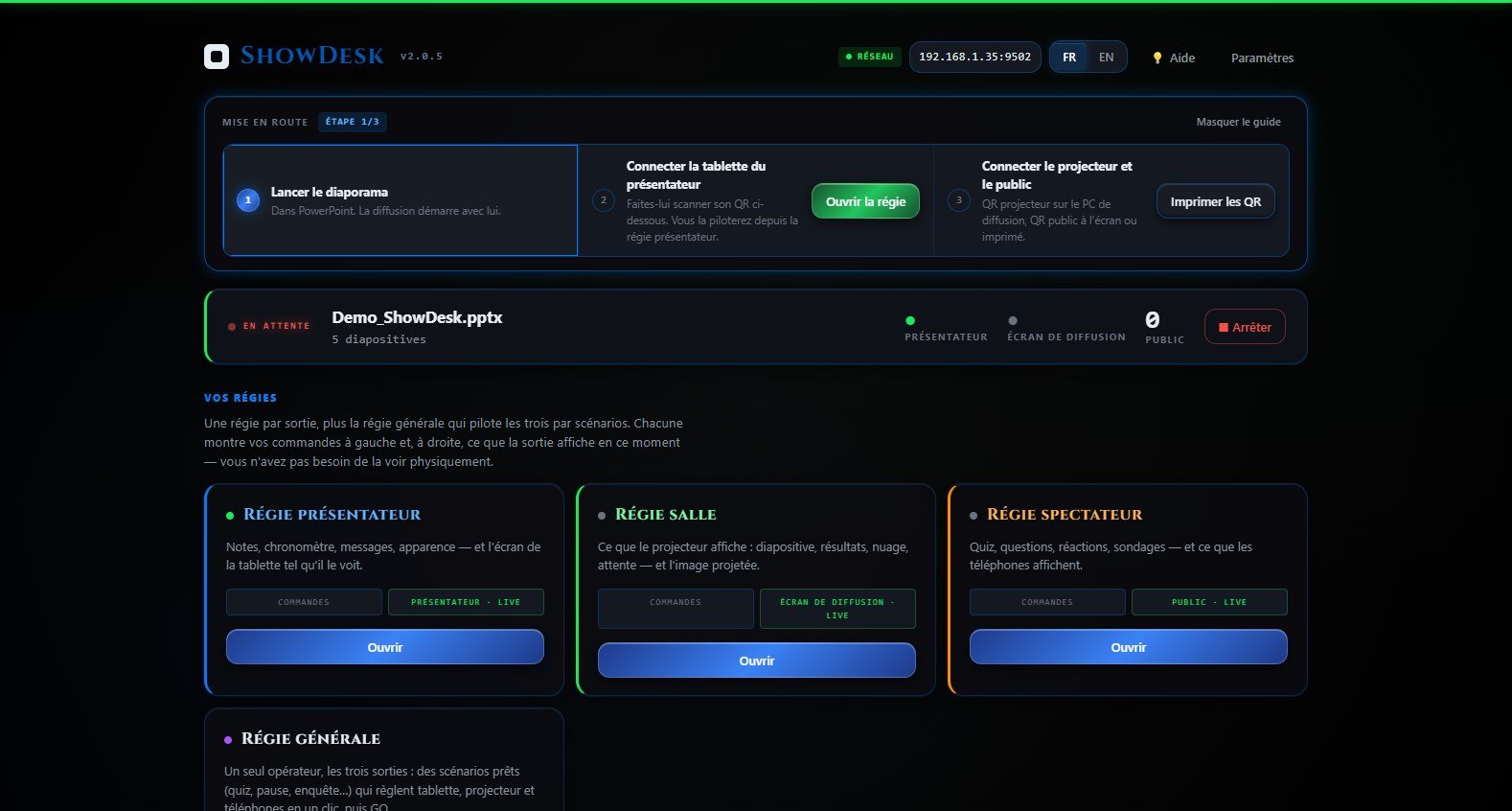
One Console,
Three Outputs

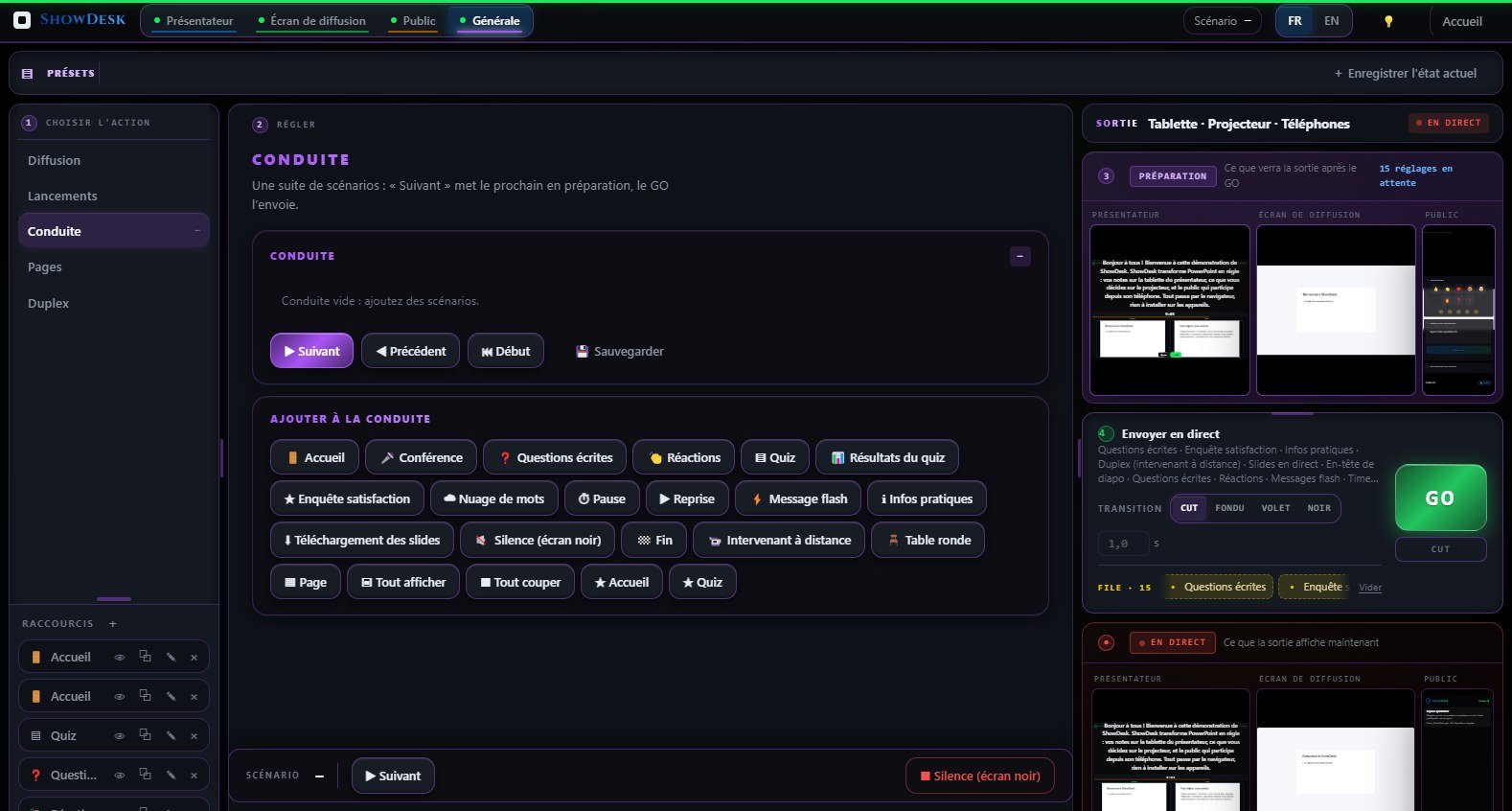
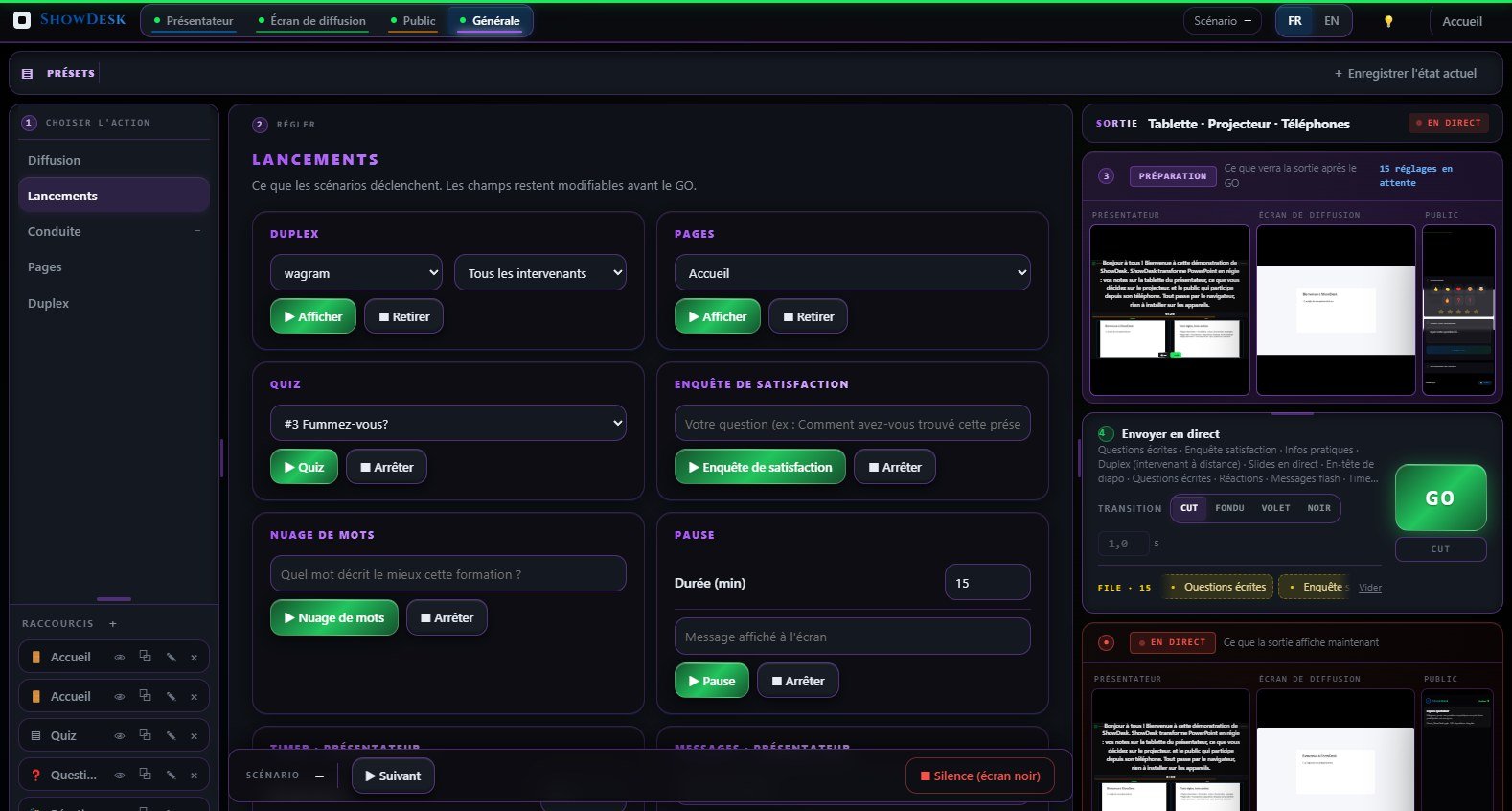
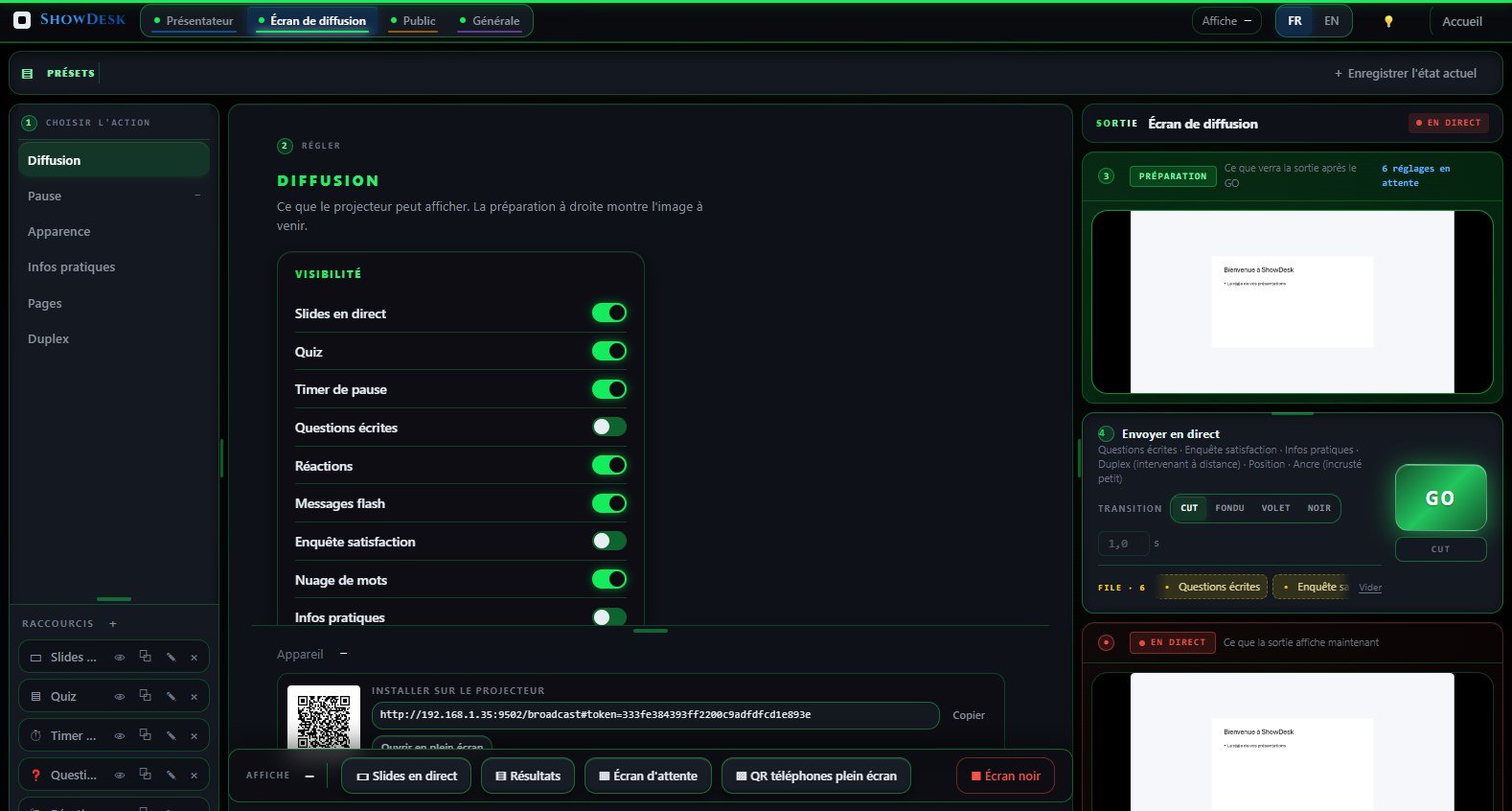
The presenter's tablet, the room screen and the audience phones — each with its own controls and its own live preview. Nothing reaches an output until you send it.

Real-Time Notes Broadcast

Automatically extracts speaker notes on every slide change and broadcasts them instantly to all connected browsers via WebSocket. Zero latency, zero configuration.

  • Automatic extraction on slide change
  • WebSocket real-time broadcast
  • Built-in HTTP server for web clients
  • Slide thumbnail preview

Interactive Audience Page

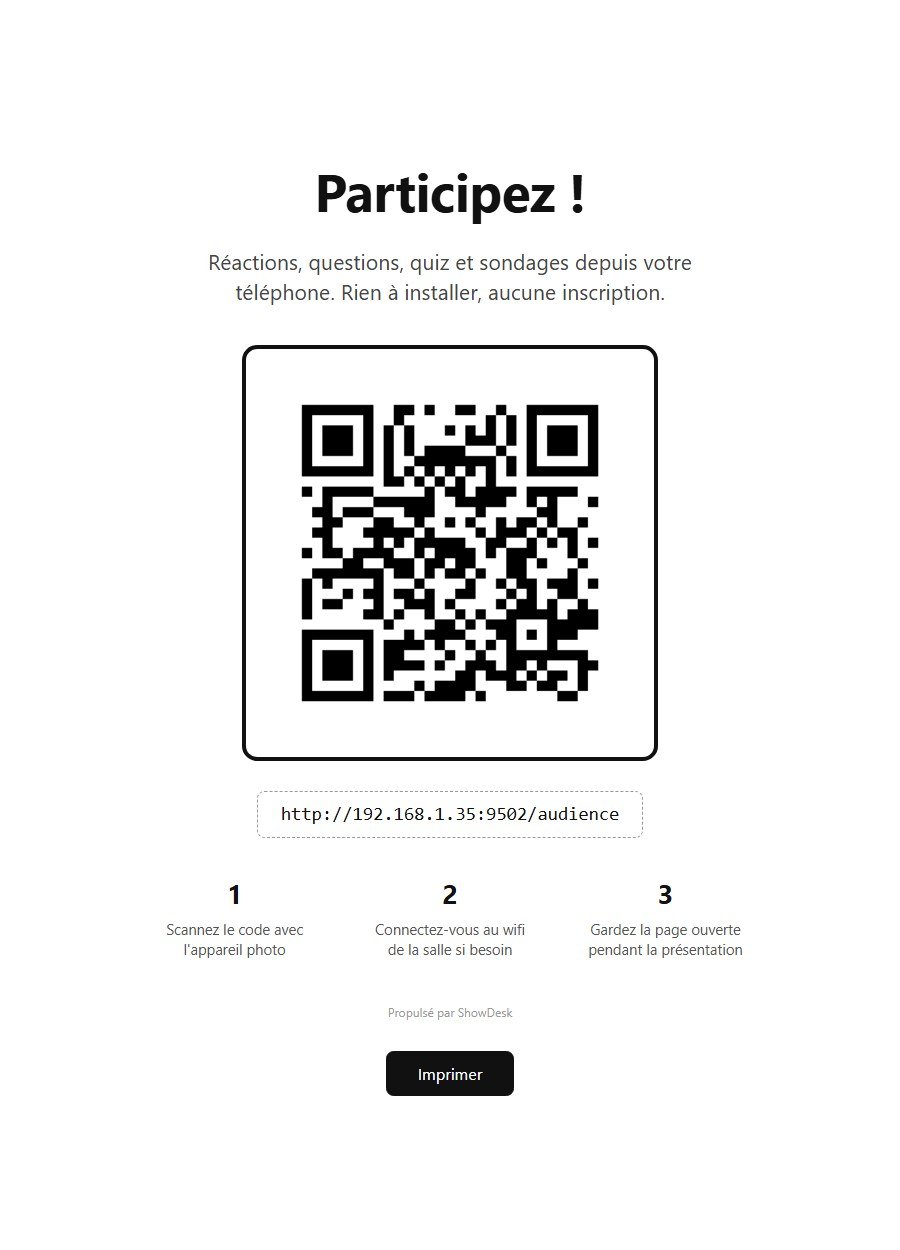
Turn every smartphone into a participant. Audience scans a QR code and instantly accesses live slides, emoji reactions, written questions, quizzes and satisfaction surveys.

  • Live slides with pinch-to-zoom
  • 5 emoji reactions in real time
  • Written questions with upvote system
  • Multiple-choice quizzes & satisfaction surveys

Synchronized Countdown Timer

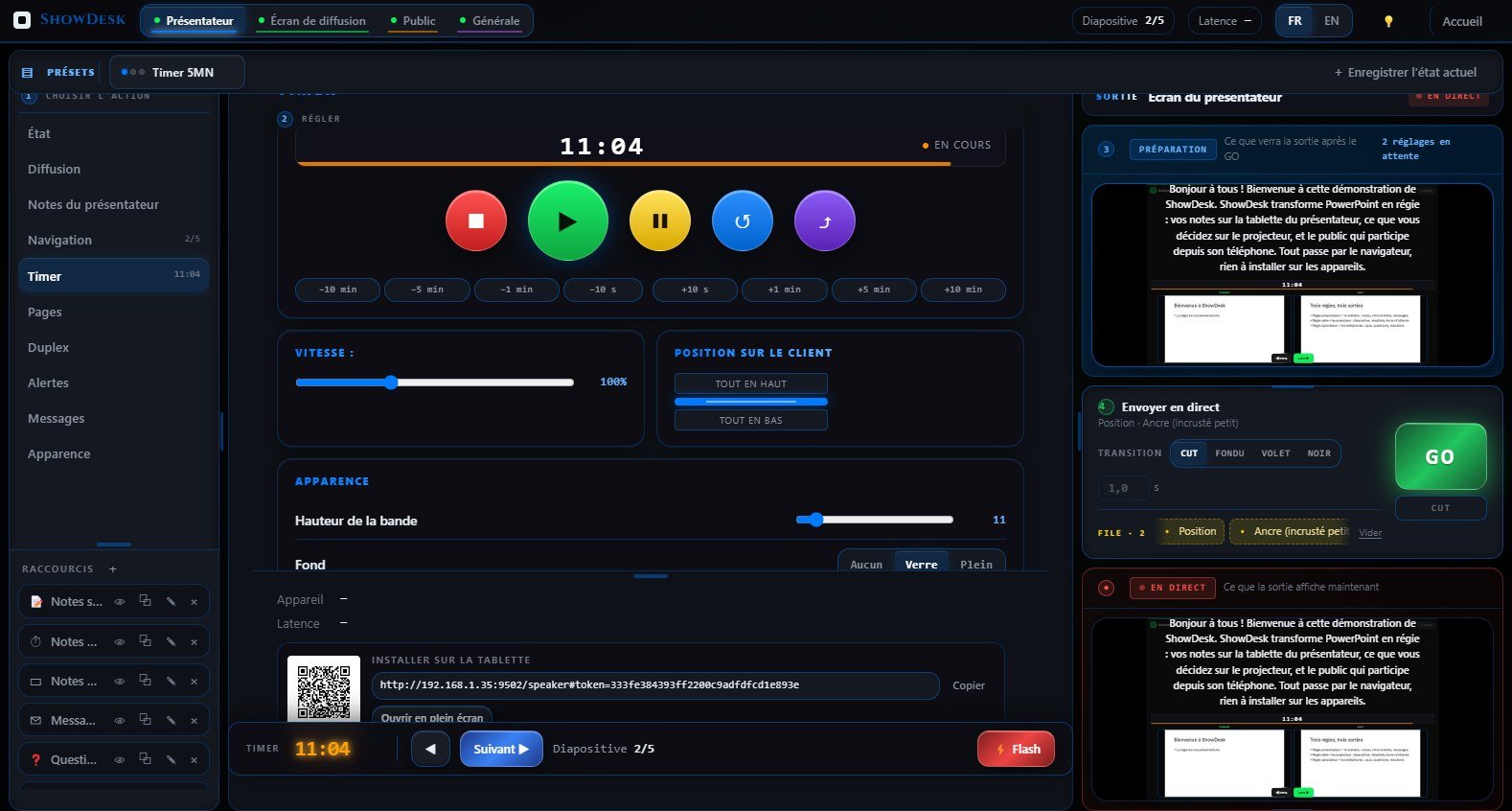
Built-in countdown timer synchronized across all clients. Warning and critical color alerts. Presets from 1 to 60 minutes. Speed control. SVG circular dial for audience break timer.

Full-Screen Flash Messages

Send instant full-screen messages to speaker and audience. GO, STOP, ATTENTION presets with customizable colors and duration. Separate channels for backstage and public.

Dual Admin Dashboards

Two dedicated dashboards: Presenter Admin for timer, alerts and slide navigation. Public Admin for quiz control, question moderation, reactions, surveys and audience toggles.

Quizzes & Satisfaction Surveys

Create multiple-choice quizzes with 4-tab editor. Launch them automatically via markers. Collect satisfaction surveys with star ratings, chips, comments. Export CSV/JSON/PDF.

13 Smart Note Markers

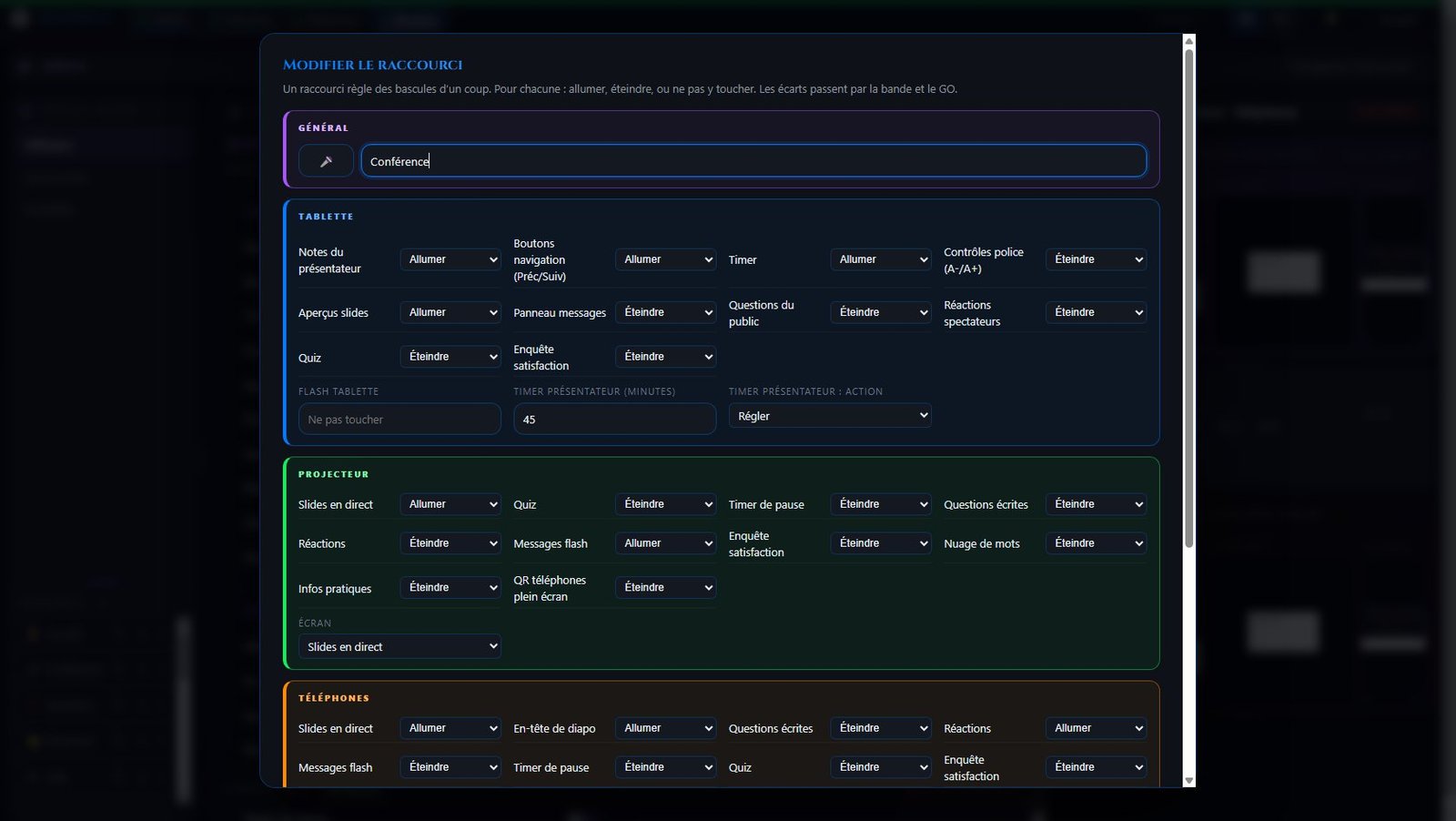
Embed commands in your notes: [TIMER:START], [MSG:text], [QUIZ:1], [PAUSE:15:00], [SURVEY]. 7 speaker markers + 6 public markers. Automate everything from your slides.

Security & Access Control

Optional 4-digit access code for the audience page. 500 simultaneous connection limit. PDF password protection. 14 layers of anti-piracy protection for your license.

See It In Action

Built For The Control Room

A dark interface designed for a darkened control position: readable at a glance, with colour reserved for what is on air.

Complete Ecosystem

Five Screens,
One Console

A PowerPoint plugin and four browser screens: the presenter's, the room's, the audience's, and the control room that drives them all. Nothing to install on the other devices.

PowerPoint Plugin
SERVER

PowerPoint Plugin

VSTO plugin that integrates into the PowerPoint ribbon with 5 functional groups: Broadcast, Audience, Network, License and Tools. Runs WebSocket, HTTP and TCP servers. Extracts notes and broadcasts them on every slide change.

  • Green badge guided setup (Step 1 & 2)
  • WebSocket + HTTP server (port 9502)
  • UDP multicast discovery (port 9501)
  • QR code for quick mobile connection
Speaker Web Client
SPEAKER

Web Speaker Client

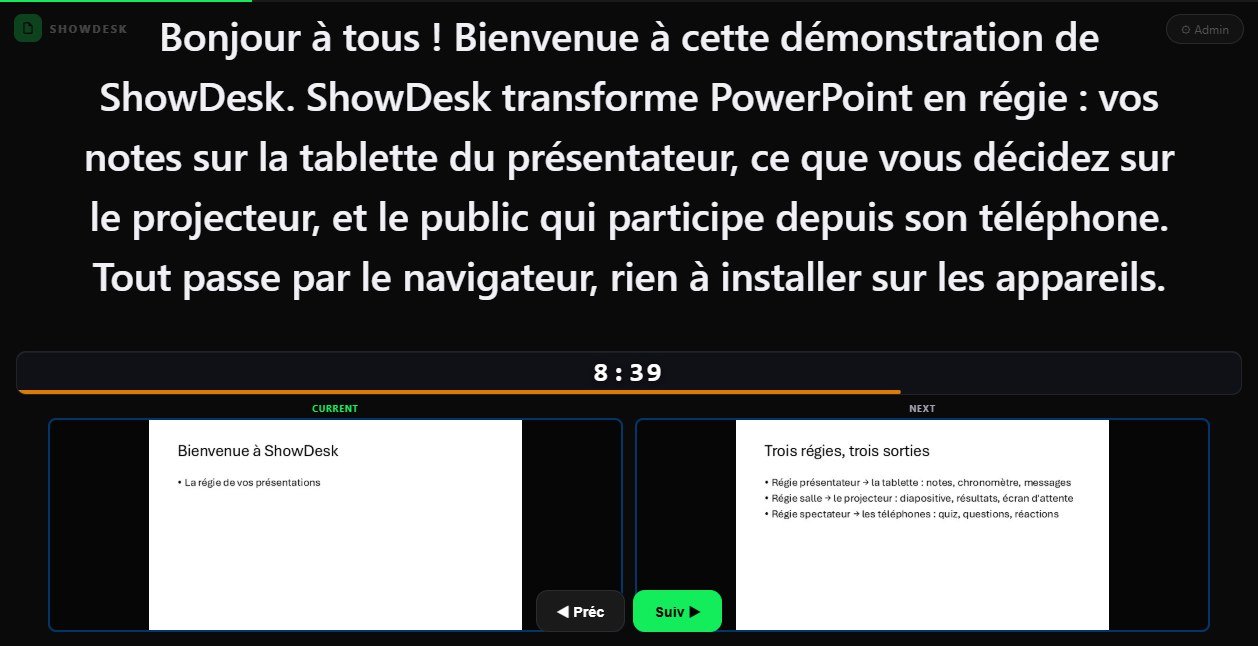
Teleprompter-style web client accessible from any browser. Displays speaker notes with auto-sizing text, countdown timer, current slide thumbnail and fullscreen mode. Works on desktop, tablet and phone.

  • Auto-sizing text for optimal readability
  • Countdown timer with color alerts
  • Current slide thumbnail preview
  • Fullscreen mode via click overlay
Presenter Admin Dashboard
ADMIN PRESENTER

Presenter Admin Dashboard

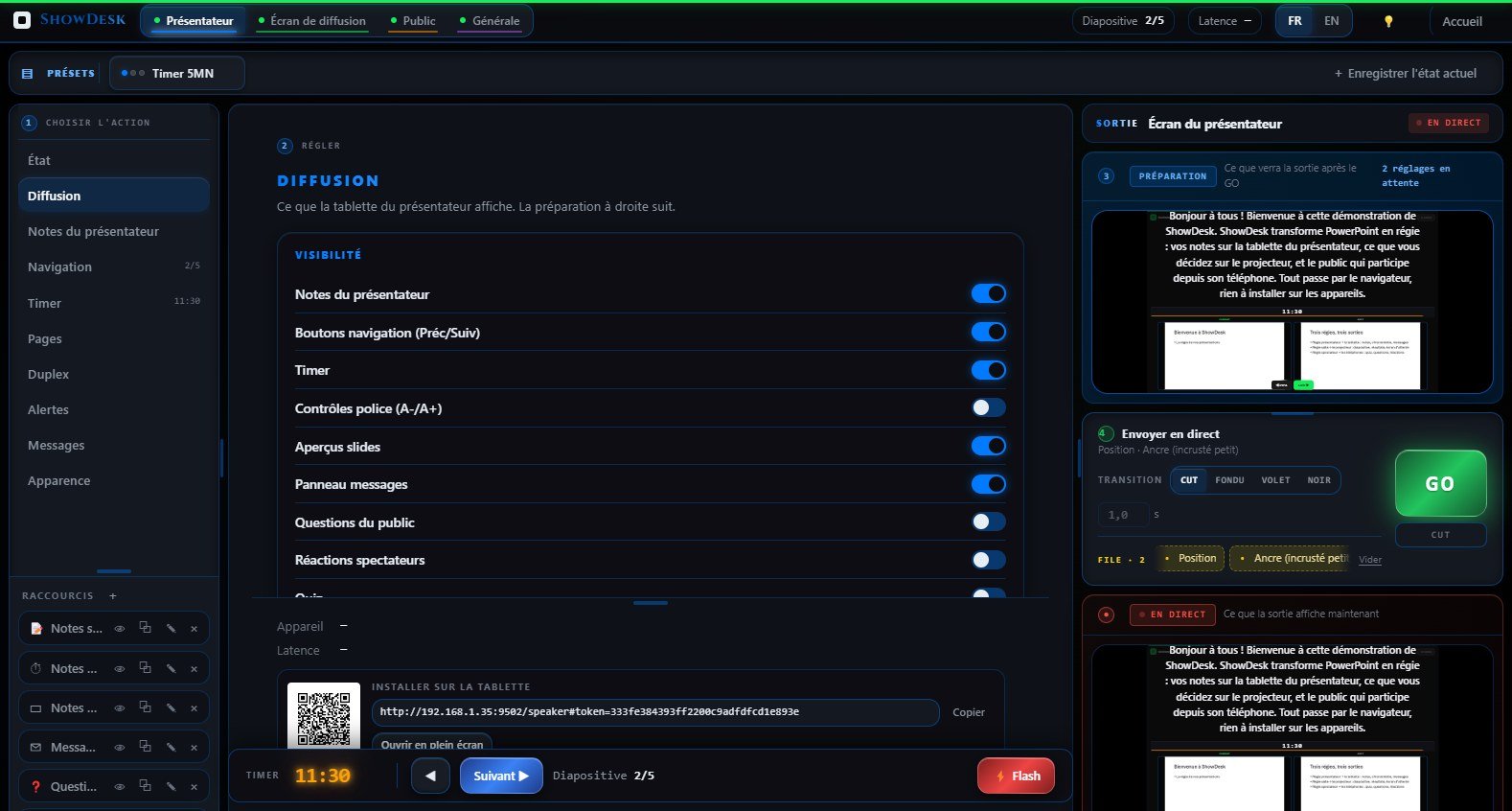
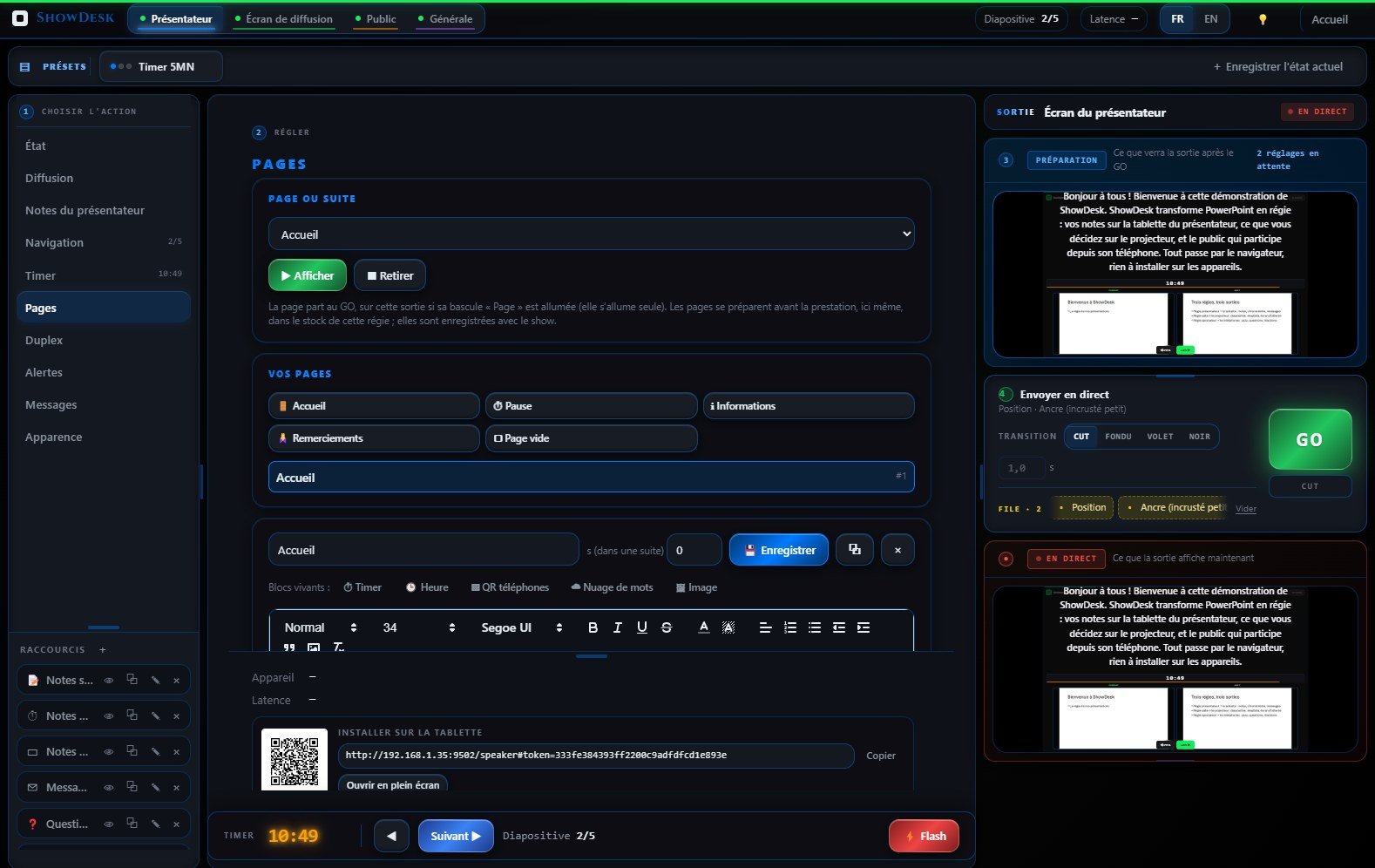
Three-column admin interface for the stage manager. Visibility controls for notes, timer, slides, clock. Timer management with presets. Flash messages with GO/STOP/ATTENTION quick buttons. Slide navigation and 8 visual themes.

  • Visibility toggles for all elements
  • Timer presets (5, 10, 15, 30, 45, 60 min)
  • Flash messages with color presets
  • Font size, theme and fullscreen remote control
Audience Interaction

Turn Every Phone
Into a Participant

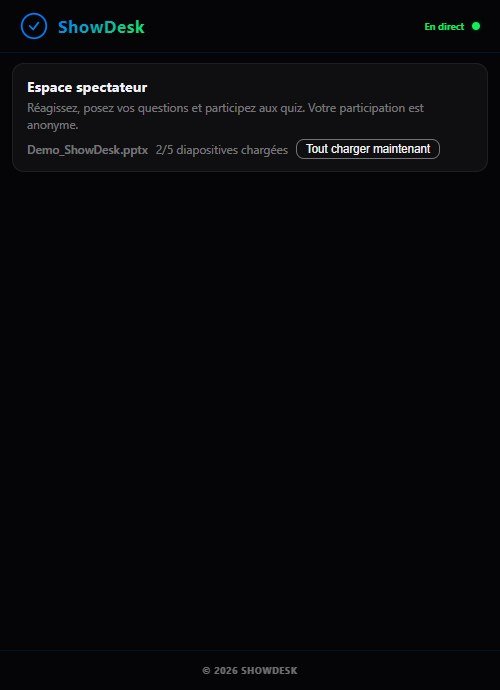
Audience members scan a QR code and instantly access an interactive PWA on their smartphone. Live slides, emoji reactions, written questions, quizzes, surveys, break timer — all in real time.

Public Admin Dashboard
ADMIN PUBLIC

Public Admin Dashboard

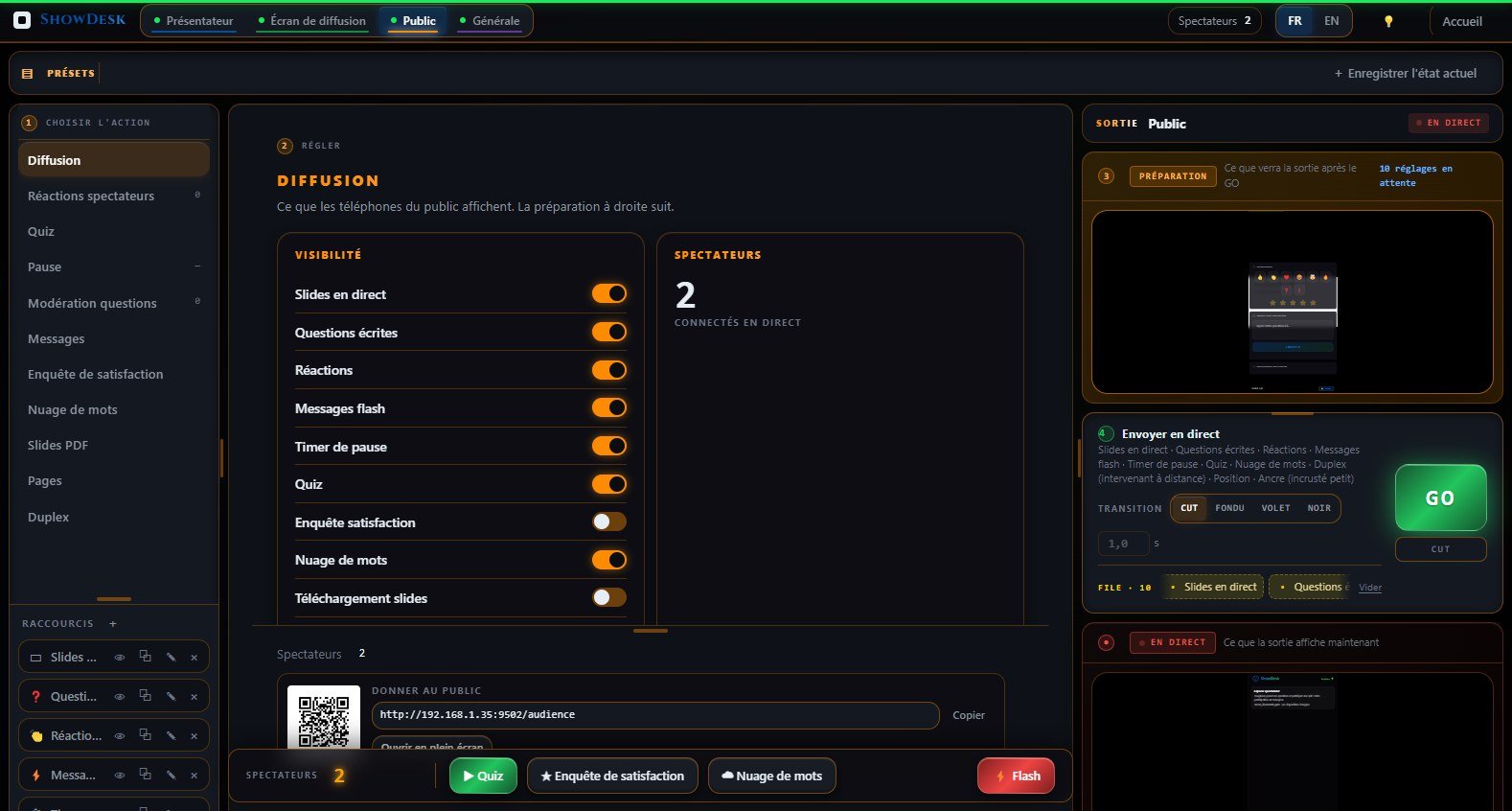
Dedicated dashboard for audience interaction. 8 visibility toggles, Quiz Control with 4 tabs (Editor, Stock, In Progress, Results), Pause Control with SVG dial, question moderation with accept/reject/push, reactions overview, session statistics.

  • 8 individual visibility toggles
  • Quiz Control: Editor, Stock, In Progress, Results
  • Question moderation: accept, reject, push to speaker
  • Session statistics with PDF/CSV export
Audience Phone View
AUDIENCE

Audience Mobile Page

PWA interface optimized for smartphones. Dual resolution images (640px / 1024px) in WebP format. Smart follow mode with “New slide available” notification when zoomed. PDF download with optional password protection.

  • Live slides with pinch-to-zoom
  • 5 emoji reactions with anti-spam rate limiting
  • Written questions with upvote system
  • Break timer with push notifications
Speaker Markers (7)
[TIMER:START] [TIMER:SET:300] [MSG:Go backstage] [PAUSE] [CUE:Lights up]
Public Markers (6)
[QUIZ:1] [PAUSE:15:00:Coffee] [PUBLIC:Vote now!] [DOWNLOAD:on] [REACT:off] [SURVEY]
AUTOMATION

13 Smart Markers

Embed commands directly in your PowerPoint notes. 7 speaker markers control timer and backstage messaging. 6 public markers control quizzes, audience pause timer, flash messages, PDF download, emoji reactions and surveys. All executed automatically on slide change.

  • Automatic execution on slide change
  • Regex detection, case insensitive
  • Hidden from displayed notes after execution
  • Full presentation automation from your slides
Network Ready

Web-Based Architecture

ShowDesk uses WebSocket for real-time synchronization, HTTP for serving the web interface, and UDP multicast for automatic server discovery. Everything runs in the browser — no client software to install.

WebSocket

Real-time sync on port 9502

HTTP Server

Web clients, admin and audience on port 9502

TCP Server

Desktop client protocol on port 9500

UDP Discovery

Automatic server detection on LAN

Technical Specifications

  • Platform.NET Framework 4.8
  • PowerPoint2016, 2019, 2021, 365
  • WebSocket + HTTPPort 9502
  • TCP ServerPort 9500
  • UDP DiscoveryPort 9501
  • Smart Markers13 (7 + 6)
  • Audience500 connections
  • Trial14 days
  • LanguagesFR, EN
Get Started

Professional Control,
Fair Pricing

Try free for 14 days with full functionality. Then activate with a 1-year licence key.

Trial

14-Day Free Trial
EUR 0

No credit card required

  • Full functionality for 14 days
  • Three control rooms, three outputs
  • Audience page with all interactions
  • Timer, flash messages, 13 smart markers
Coming Soon